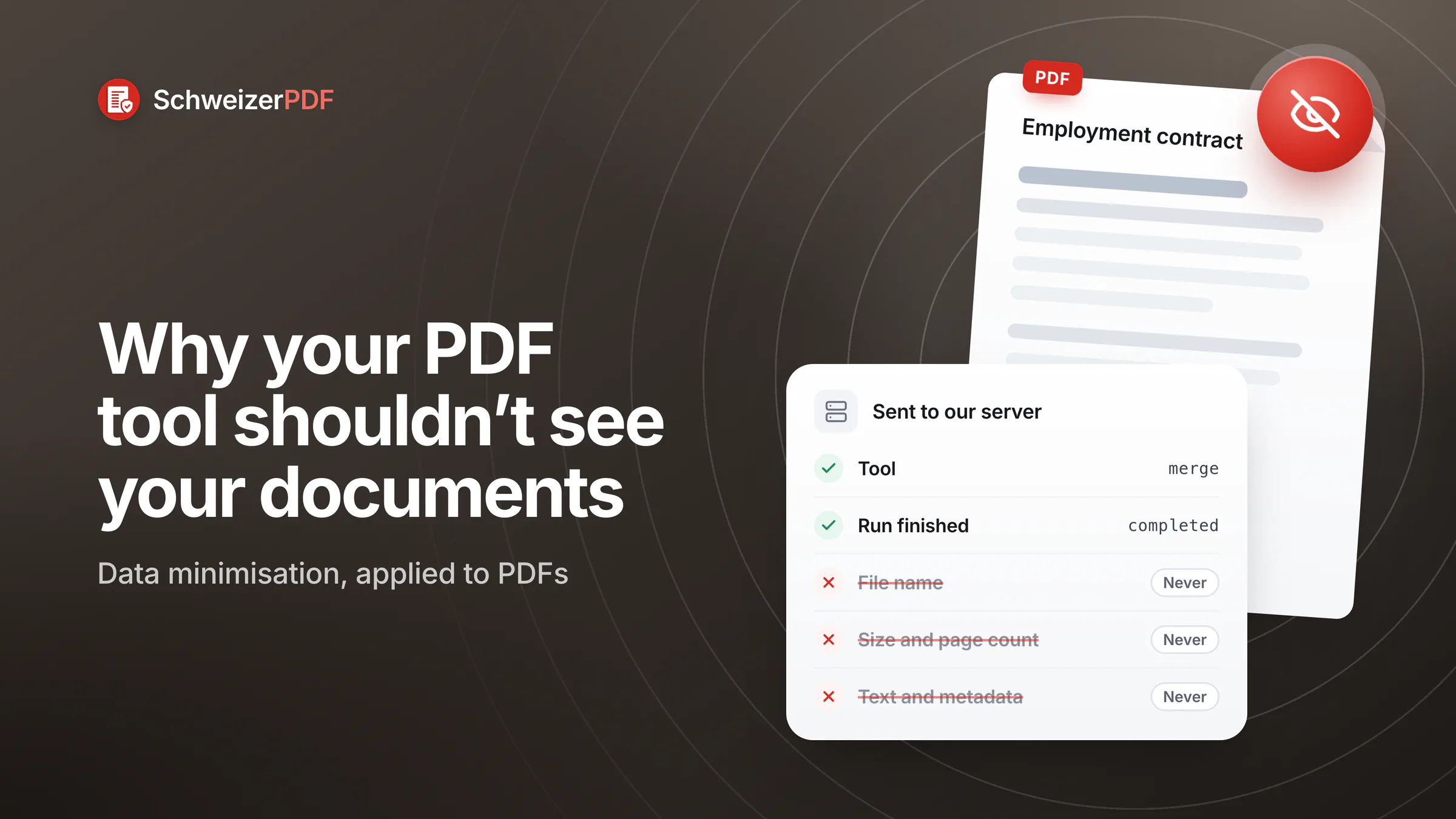
A secure online PDF tool is one that never needs to see your document. It processes the file in your browser, on your own device, and its server learns only what it needs to run your account — not the file, its name or its content. Everything else is a promise you have to take on trust.
Think about the last PDFs you merged, compressed or converted. Chances are one of them was a contract, a salary statement, a bank document or a copy of an ID — and that you used the first website a search engine offered. The document then left your computer for a server you know nothing about. Most of the time nothing bad happens. But “most of the time” is a weak standard for documents that identify you, your clients or your patients.
What makes an online PDF tool secure?
Encryption in transit and a privacy policy are the minimum. The more useful questions are about architecture — what happens to the file, not how well a copy of it is guarded. Five questions separate a private PDF tool from a merely convenient one:
- Where is the file processed? On the provider's servers, or in your browser on your device?
- What does the server receive per run? The whole document, or only what it needs for accounting?
- What is kept, and for how long? Is there a copy of your file anywhere after you close the page?
- Can you check it? Is there a way to see, without trusting anyone, that the file was not sent?
- Are the limits stated? A provider that names what it cannot protect is easier to trust than one that claims to protect everything.
Data protection: a PDF tool needs very little
To merge two files, a tool needs the files — for a few seconds, in memory. It does not need to keep them, to know what is in them or to send them anywhere. The Swiss Federal Act on Data Protection (FADP/nDSG) puts this idea into its principles: processing must be proportionate (Art. 6), and the controller must arrange it technically so that the principles are respected from the planning stage — data protection by design and by default (Art. 7). The full text (SR 235.1) is published on fedlex.admin.ch.
Two further provisions explain why uploads deserve a second thought. Handing processing to a provider makes it a processor, which the FADP allows only under conditions — among them that no statutory or contractual duty of confidentiality prohibits it (Art. 9). And if the provider's servers are abroad, the rules on disclosure abroad apply (Art. 16). Whether and how these rules apply to you depends on your situation; what is certain is that a document which never leaves your device raises none of these questions for the document itself.
That is why the question matters most where secrecy duties apply — in law firms, in medical practices and wherever client files are handled. Applied to PDF tools, the conclusion is simple: if the processing can happen where the file already is, it should.
How browser-based PDF processing works
Ten years ago, manipulating PDFs inside a web page was impractical. Today, browsers run compiled code (WebAssembly) at near-native speed, in background threads that keep the page responsive. The same kind of libraries that power server-side PDF services — for parsing, rendering, encryption, compression and text recognition — run well on a laptop. In SchweizerPDF, one run looks like this:
- 1
The engine comes to you
When you open a tool, our server delivers the PDF engine like any other part of the page.
- 2
Your browser reads the file
You add a file; the browser reads it from your disk. Nothing about it is sent to us.
- 3
Processing happens on your device
The engine works in a background thread of your browser — merging, compressing, redacting or recognising text.
- 4
You download the result
The result is offered as a download. It exists in the tab until you reload or close it; we keep no copy, because we never had one.
The application itself is hosted by Infomaniak in Switzerland. That is a sound choice for account data, but the argument does not rest on it: a file that is never transmitted is protected by the architecture, wherever the server stands. Details are in where your files are processed.
What our server still knows — and why
We do run a server, and we will not pretend otherwise. Plans, limits and sign-in live there. For each run it receives the tool id when the run starts and, at the end, whether it finished, failed or was cancelled. Nothing derived from the file — no name, size, page count, text, metadata or hash — is part of either request.
| What we store | Why | Derived from your files? |
|---|---|---|
| Account: e-mail address, language, plan, settings | To sign you in and apply your plan | No |
| Sessions | To keep you signed in | No |
| Usage ledger: tool, status, start and end time (13 months) | To count operations against your plan | No |
| Billing records | Subscriptions and invoices | No |
| E-mail log and security logs | Delivery of sign-in e-mails, protection against abuse | No |
Retention periods and recipients are listed in what we store and on the security page.
How to check a private PDF tool yourself
A privacy promise is only as good as the ability to check it. These checks work for any web tool and take a few minutes:
- Watch the network log. Open your browser's developer tools (F12), switch to the Network tab and run a tool with a test file. With SchweizerPDF you will see two small requests to
api/usage/operations— one at the start, one at the end — and no upload. An upload-based tool shows a request roughly the size of your file. - Look at the Content Security Policy. Every SchweizerPDF page is delivered with
connect-src 'self': your browser blocks connections from the page to any other server. Even a mistake in our code could not send a file to a third party. - Read what is stored. A provider that processes locally should still say what it keeps about you. If the list mentions your documents, the tool is not local.
The limits of local processing
Local processing protects your documents from the tool provider. It does not protect against everything, and these limits belong to the picture:
- Your device must be trustworthy. A compromised computer, or a browser extension allowed to read every page, can see what the page shows — with any web application.
- Some features need a server, so we do not offer them. Converting Word, Excel or other Office files is not offered.
- Your device does the work. Very large files and OCR on many pages take longer on an older laptop or a phone. See large files.
- An account and a connection are needed. Plans and limits live on our server; the limits themselves are enforced in your browser.
- Tools have their own limits. Redaction, for example, turns marked pages into images and every mark needs review — see redacting AHV numbers and IBANs.
The safest copy of a confidential document is the one that was never made.
Frequently asked questions
Is a browser-based PDF tool safe for confidential documents?
It removes the biggest risk — the provider receiving and keeping your file. It does not protect against a compromised device or extensions with access to all websites. For confidential documents, use an up-to-date browser on a device you trust.
Does SchweizerPDF upload my files?
No. Files are read and processed in your browser. Per run, our server receives only the tool id and the outcome. You can confirm this in your browser's network log.
Why do I need an account if the files stay local?
Plans and the monthly operation quota are managed on our server, so you sign in with your e-mail address. The account contains no documents — only the data listed above.
Does a local PDF tool settle my data protection obligations?
No tool can make that assessment for you. Local processing means one transfer fewer to evaluate, because the document is not handed to anyone. Your other obligations — retention, access, secrecy duties — stay with you.
If that matches how you think about your documents, try SchweizerPDF for free. For a side-by-side view of both architectures, read processing PDFs in the browser vs. uploading them, or browse the tools.
General information
This article is general information about handling documents and how SchweizerPDF works, not legal advice. The description of the FADP is simplified. For your own obligations under the nDSG or a professional secrecy duty, consult a qualified professional.