Use case
Redacting AHV numbers and IBANs before sending documents
Remove identifiers from a PDF for good — on your own device, then check the result before you send it.
Assemble closing dossiers, redact AHV numbers on salary certificates, tidy receipt scans — 40 PDF tools that run in your browser. The documents are processed on your computer and never uploaded, not even to us.
Built for

The daily reality
Four situations every fiduciary office knows — and what changes with SchweizerPDF.
Closing dossiers assembled by hand
Balance sheet, income statement, notes and the supporting documents — merged file by file, renumbered when the client sends one more statement.
Merge in the order you set, number every page and add a bookmark per section — in one sitting.
Client figures on a stranger's server
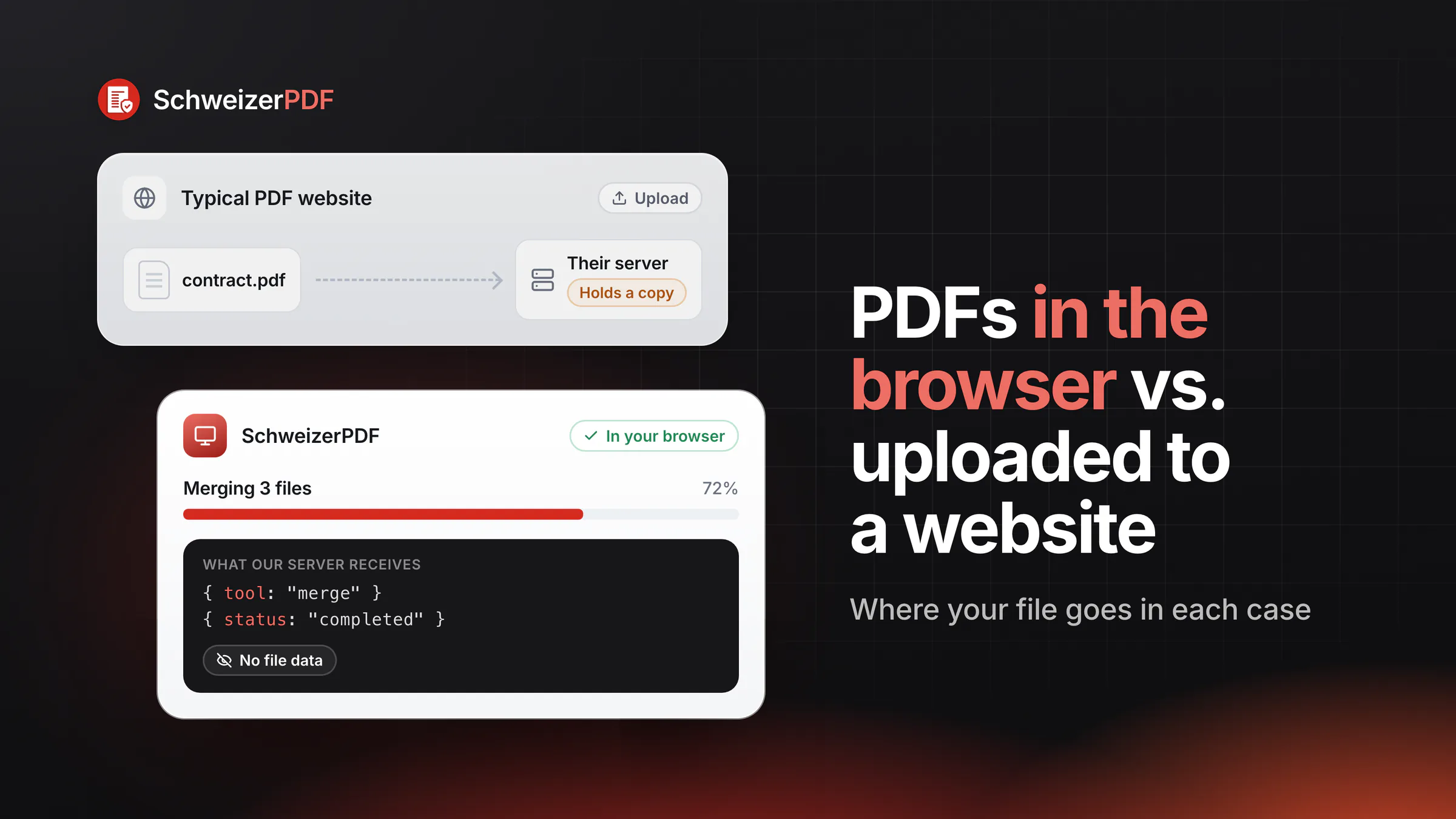
Free PDF websites ask for the upload first. Where a salary certificate goes, how long it stays and who can read it is not yours to decide.
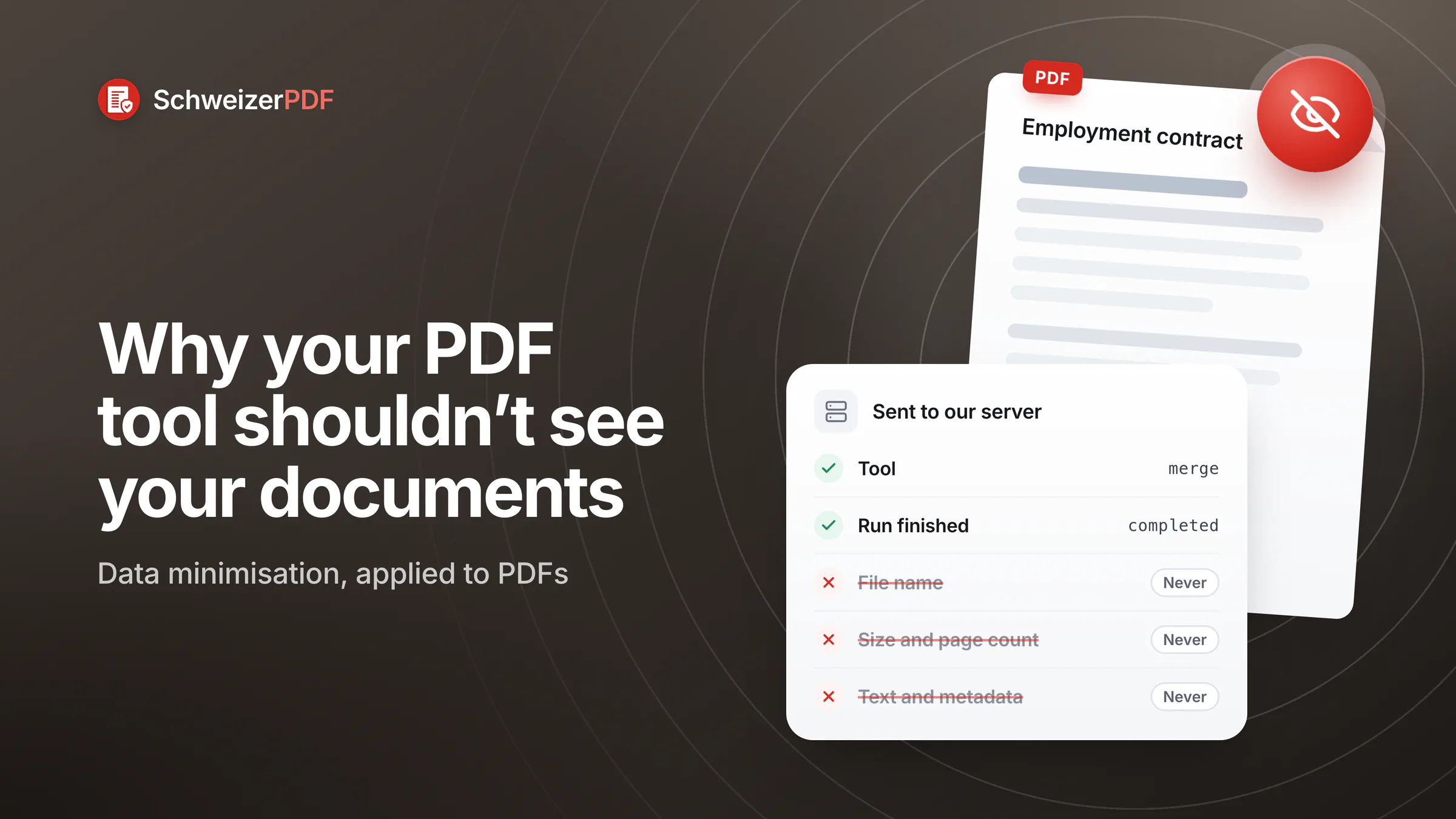
The file is processed in your browser. It is never transmitted, so there is nothing for us to store or read.
One AHV number too many
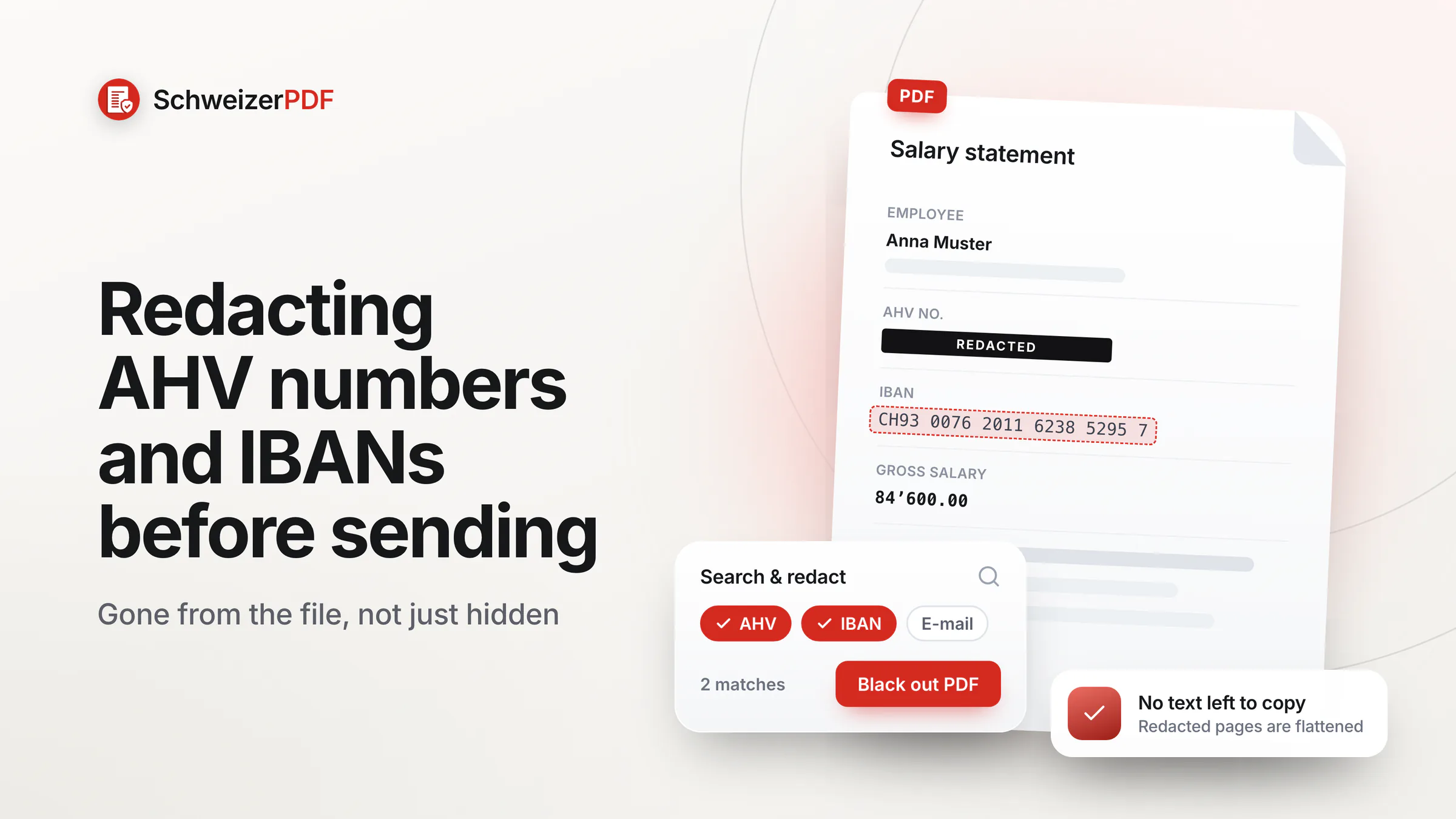
A bank only needs the amounts, but the salary certificate also shows the AHV number and the IBAN. A black marker hides nothing — the text can still be copied.
Black out (redact) removes the text itself and checks the result; Remove hidden data clears authors and comments.
Receipts in every format
Phone photos, crooked scans, pages upside down and blank pages from the scanner — every client delivers differently.
Turn photos into a PDF, move and rotate pages, remove the blank ones and make the scans searchable with OCR.
Your documents
Financial and personal data of your clients and their employees. Each one needs a different tool — all of them are in the same app, and none of them leaves your computer.
Salary certificates and pay slips with the AHV number, salary and deductions of every employee.
Registrations, contribution statements and correspondence with compensation offices and pension funds.
Monthly statements, payment confirmations and receipts — often as phone photos or scans.
Balance sheet, income statement, notes and the documents behind them, as one dossier.
Returns and their attachments: salary certificates, Pillar 3a certificates, bank and securities statements.
Engagement letters, powers of attorney and drafts that go back and forth with the client.
In practice
Assemble the closing dossier
Merge balance sheet, income statement, notes and supporting documents in your order, add page numbers and a bookmark for every section.
Forward salary certificates without identifiers
When a bank or a landlord only needs amounts, search for AHV numbers and IBANs, review every match and black it out. The redacted text is gone, not hidden.
Tidy the receipt scans
Move pages into order, rotate the ones scanned sideways and remove the blank pages the scanner added.
Mark drafts, protect the final version
Stamp “Draft” on versions under discussion, then protect the final version with a password — encrypted on your computer before it goes to the client.
Confidentiality, handled
A fiduciary mandate comes with a duty of care and loyalty (Art. 398 CO), and the nFADP protects secret personal data learned in the course of a profession (Art. 62 nFADP). Salary certificates, AHV numbers and tax returns are exactly that kind of data. Uploading them to a PDF website hands them to a third party. With SchweizerPDF the file is processed in your browser and never transmitted — we do not receive it, so we cannot disclose it.
Your context
No new recipient for documents. Our server learns that a tool ran and whether it finished — never the file, its name, its size or its pages.
Metadata under control. Remove hidden data clears author names, comments and earlier revisions before a document leaves the office.
Redaction you can check. Redacted pages are rasterised and verified: a blacked-out AHV number can no longer be found or copied.
This page describes our product, not your obligations towards your clients — please assess those yourself. Send the password of a protected PDF through a different channel than the file.
Pricing
Choose by how often you work with PDFs and whether you need redaction, OCR and comparison.
Free
CHF 0
To try it on a file without client data first.
Start for freePro
RecommendedCHF 9/ month
When you redact salary certificates and OCR receipts every week.
Choose ProBusiness
CHF 29/ month
For the closing season and large receipt bundles.
Choose BusinessEvery plan processes files on your device. Cancel any time.
FAQ
Read more
Start free — nothing to install, nothing uploaded. Upgrade to Pro for redaction, OCR and comparison.
Processed on your device · No third-party trackers, no ads · Cancel any time