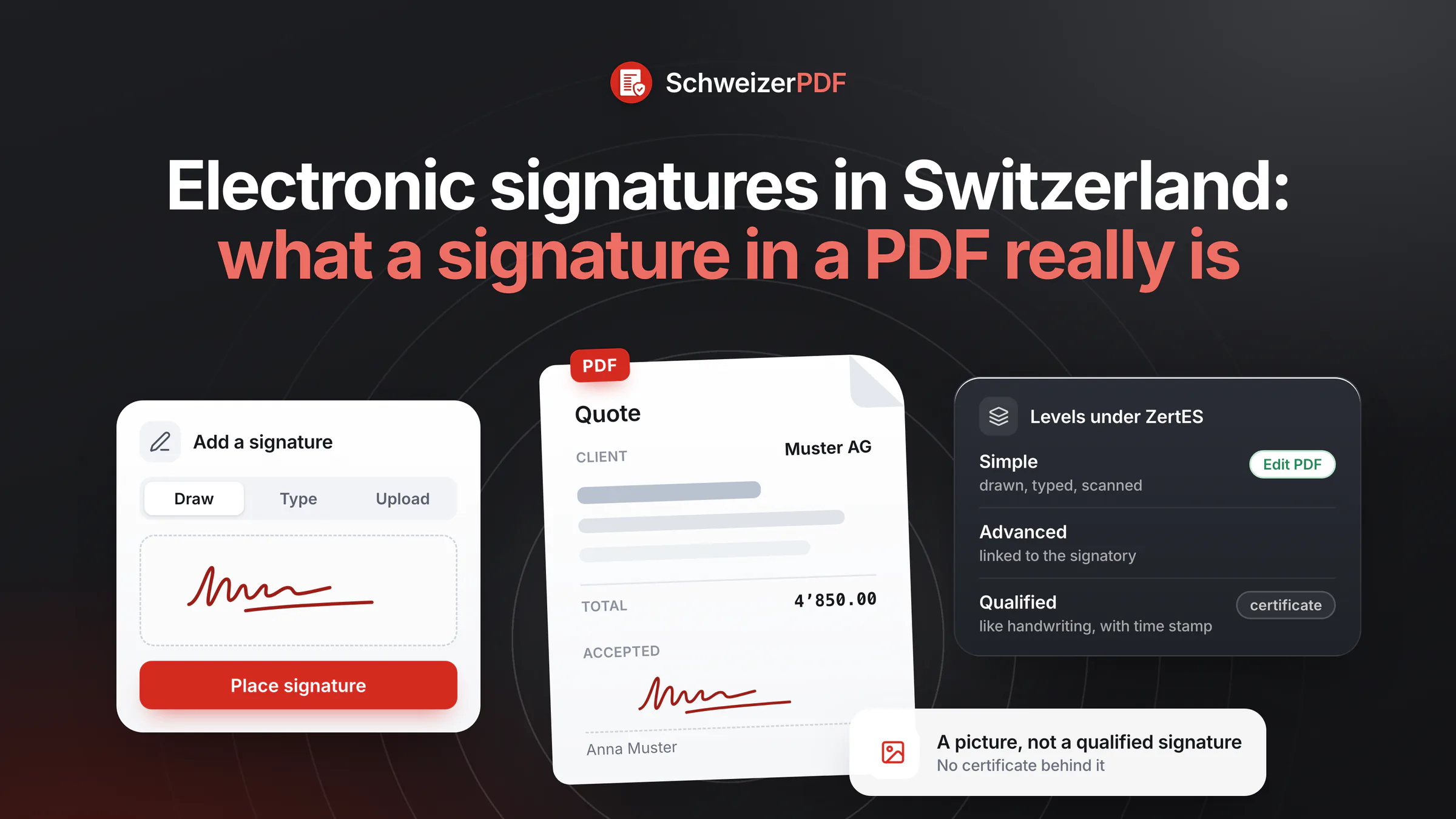
In Switzerland, only a qualified electronic signature combined with a qualified electronic time stamp is treated like a handwritten signature (Art. 14 para. 2bis of the Code of Obligations), unless the law or a contract provides otherwise. A signature you draw on screen, type in a handwriting font or paste in as a scanned picture is a simple electronic signature: a visible mark on the page, with no certificate behind it.
That simple signature is often all a document needs — many agreements require no particular form. But it proves little about who placed it, and it is not the same as the digital signature some PDFs carry. This article explains the levels of electronic signature in Swiss law, what happens to a digitally signed PDF when you change it, and what SchweizerPDF can and cannot do with signatures.
The levels of electronic signature under Swiss law
The Federal Act on Electronic Signatures (ZertES, Art. 2, available in German, French and Italian) defines the levels. Each builds on the one before:
| Level | What the law requires (simplified) | Equivalent to a handwritten signature? |
|---|---|---|
| Simple electronic signature | Data attached to or logically linked with other electronic data, used to authenticate them — for example a typed name or a signature image. | No |
| Advanced electronic signature | Linked to the signatory alone, identifies them, created with means under their sole control, and linked to the data so that any later change can be detected. | No |
| Regulated electronic signature | An advanced signature made with a secure signature creation device and based on a regulated certificate issued to a natural person. | No |
| Qualified electronic signature | A regulated signature based on a qualified certificate from a recognised certification service provider. | Yes, together with a qualified time stamp — unless the law or a contract provides otherwise |
From the advanced level upwards, the signature is cryptographic: software calculates it from the document's content and a key that only the signatory controls. A picture of a signature has none of that.
When does an electronic signature count as handwritten?
Swiss contract law starts from freedom of form: a contract needs a particular form only where the law prescribes one (Art. 11 CO). Where the law requires written form, the document must carry the signatures of everyone it binds (Art. 13 CO), and a signature must be written by hand — or be a qualified electronic signature with a qualified time stamp (Art. 14 CO).
In practice that means two questions for every document. Does the law or the contract require a particular form? If not, a simple electronic signature can be enough to record agreement — the question becomes one of proof. If it does, a drawn or scanned signature in a PDF does not meet that form; a handwritten signature on paper or a qualified electronic signature does. Some documents need even more, such as a notarial deed. Which form applies to a particular document is a legal question to clarify with a specialist.
A signature image in a PDF: what it is and what it isn't
- It is a picture or a line of text on the page — a visible sign that someone agrees. It reads and prints like ink.
- It is not tied to a person. Anyone who has the image can place it on another document. Nothing in the file proves who put it there.
- It does not protect the content. The text around it can be changed afterwards without any visible trace in the signature.
- It is not a digital signature. PDF readers show no signature panel and no validity check for it, because there is nothing to check.
Treat your signature image with care
A scan of your handwritten signature can be reused by anyone who receives it. Place it on documents you send yourself, avoid sending the picture file on its own, and prefer a flattened result over one where the image can be lifted out easily.
Why changing a digitally signed PDF invalidates the signature
A digital signature in a PDF is calculated from the exact bytes of the document at the moment of signing. A PDF reader recalculates it when you open the file. If anything has changed since — a rotated page, a merged attachment, compressed images, new metadata, a redaction — the values no longer match, and the reader reports the signature as invalid or the document as changed after signing.
SchweizerPDF checks every file for digital signatures. Before a tool changes a signed PDF, the app asks first: “This document is digitally signed. Changing it will invalidate the signature.” PDF details shows whether a file is digitally signed and how many signatures it carries; it does not check whether they are valid. Redacting a signed contract has the same effect as any other change — see redaction mistakes in blacked-out PDFs. Keep the signed original unchanged and work on a copy.
Signing a PDF with SchweizerPDF: what works
The editing tools let you place a signature as part of the page. The file and your signature are processed in your browser; the signatures you create are kept only for the current session.
- 1
Open Edit PDF
Sign in, open Edit PDF and select the document with Select PDF file (or drop it on the page), for example a quote for Muster AG that you accept.
- 2
Choose how to sign
Pick Signature and choose Draw (finger, stylus or mouse), Type (your name in a handwriting-style font) or Upload (a picture of your signature; Remove the white background makes it transparent).
- 3
Place it
Put the signature on the signature line and adjust its size. You can add the date or a text box next to it.
- 4
Choose how to save
Part of the page looks the same in every viewer and is harder to remove; Annotations can be edited later in other PDF apps. Save the result under a new name.
- 5
Or let others sign
To prepare a document for other people, add an empty signature field with Create form. They sign it in their own PDF software — which may support certificate-based signatures.
What SchweizerPDF does not do
SchweizerPDF does not create digital, certificate-based or qualified electronic signatures, adds no time stamps and does not validate existing signatures. A signature placed with Edit PDF is a simple electronic signature. For a qualified electronic signature you need a certification service provider recognised under ZertES.
Because nothing is uploaded, the document you sign never leaves your device: per run, our server receives only which tool was used and whether it finished. Why that matters for confidential documents is explained in why your PDF tool shouldn't see your documents and on the security page.
Which signature for which document?
- No form required, low stakes — accepting a quote, confirming an order, an internal approval: a signature image is often accepted. Agreeing on the method in advance helps if the signature is ever questioned.
- Written form required by law or contract: sign by hand on paper or with a qualified electronic signature. A drawn image does not replace either.
- A digitally signed PDF you received — from an authority, a bank or a business partner: keep it exactly as received. Split, compress or annotate only a copy. How long and how to keep it: archiving business documents as PDFs.
- A paper contract signed by hand and scanned: the scan shows the signatures but is a copy; keep the paper original. Making the scan searchable is covered in OCR for a scanned contract.
Frequently asked questions
Is a scanned signature legally valid in Switzerland?
A scanned or drawn signature is a simple electronic signature. Where no form is required, it can record agreement, but it is weak evidence of who signed. Where the law requires written form, it does not replace a handwritten or qualified electronic signature.
Can SchweizerPDF create a qualified electronic signature?
No. SchweizerPDF places signature images and creates empty signature fields. Qualified electronic signatures require a qualified certificate from a recognised certification service provider.
Why does my PDF reader say the signature is no longer valid?
The file was changed after it was signed — by any tool, not only ours. The reader compares the signature with the current content and finds a difference. Open the original file you received to check the signature.
Is my signature stored when I use Edit PDF?
Signatures you draw, type or upload are kept in your browser for the current session so you can place them again, and they are never sent to our server. When you close the tool, they are gone.
Sign what needs no special form on your own device, keep signed originals unchanged, and use a qualified signature where the law asks for one. What stays local is set out in where your files are processed; the form tools are listed under Forms. Ready to try it? Create a free account.
General information
This article describes Swiss signature rules in simplified form and explains how the SchweizerPDF tools work; it is not legal advice. Whether a signature is sufficient for a particular document depends on the law, the contract and the circumstances — for your own case, ask a lawyer or another qualified professional.