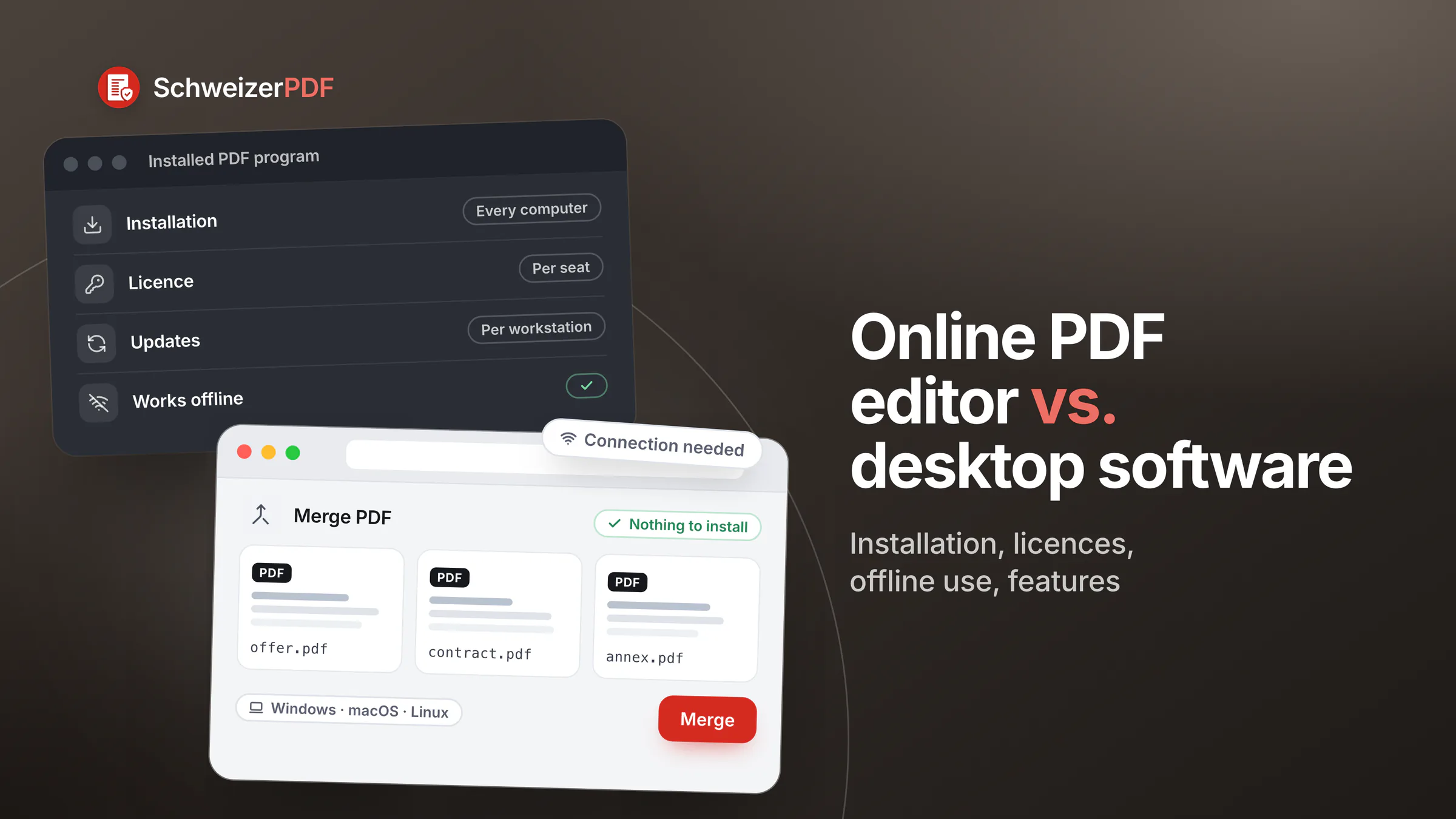
Desktop PDF software and a browser-based PDF tool that processes files locally have more in common than it seems: both work on your own device, and neither has to send your document anywhere. The real differences lie elsewhere — installation and updates, licences, offline use, the range of features and the devices you can work on. Desktop suites usually offer more functions and work without a connection; browser tools need nothing installed and run on any computer with a current browser.
Upload-based PDF websites are a third kind: they process your file on their servers. That difference has its own comparison — processing PDFs in the browser vs. uploading them. This page sets browser-based tools such as SchweizerPDF against installed desktop software. It describes categories, not products: desktop programs differ widely, so check the details of any program you consider.
Online PDF editor vs. desktop software at a glance
| Desktop PDF software | Browser-based (SchweizerPDF) | |
|---|---|---|
| Installation | On every computer, often with administrator rights | None — a current browser is enough |
| Updates | Installed per workstation; versions can drift apart | Each page load brings the current version |
| Licences | Per seat or per user, purchase or subscription — depends on the vendor | A plan per personal account, including a free plan |
| Works offline | Usually yes | No — a connection and an account are needed |
| Where the file is processed | On your device | On your device, in the browser |
| What the vendor learns | Depends on the software: licence and update checks, usage statistics, optional cloud sync | Your account, our visit statistics (pages, never file data) and, per run, the tool id and the outcome |
| Feature range | Typically broader, e.g. Office conversion, certificate-based signatures, PDF/A | 40 tools to organise, edit, convert, optimise, secure and fill PDFs; no Office conversion |
| Very large files | Limited by the computer | Limited by the device and the browser's memory per tab |
| Platforms | Depends on the vendor | Windows, macOS, Linux and other systems with a supported browser |
Installation, updates and IT administration
With desktop software, every workstation is a small project: someone installs the program, often with administrator rights, keeps it updated and makes sure a security fix reaches every computer. In a small office this falls to whoever looks after IT. On a locked-down computer — in a hospital, an administration or at a client's site — installing anything may not be possible at all.
A browser-based tool skips this step. The engine is delivered with the page, so every reload brings the current version, the same for everyone. What remains is browser hygiene: keep the browser up to date and keep extensions under control, because an extension allowed to read every page can also read a document open in a web tool. For offices in public administration or fiduciary firms, the lack of installation can be the deciding point.
Licences and accounts
Desktop PDF software is licensed per seat or per user — as a one-off purchase, a subscription or a volume agreement. Terms vary by vendor and change over time, and licences have to be counted, assigned and moved when someone leaves.
SchweizerPDF works with a personal account per user and a plan per account. The free plan includes 15 operations per month; what each plan includes is on the pricing page. There are no shared team workspaces: each person signs in with their own e-mail address.
Offline use, licence checks and confidentiality
Here desktop software has a clear advantage: once installed and activated, most programs work without a connection — on a train, on a building site, during an outage. SchweizerPDF does not. The page and the engine come from our server, and each run is counted there before it starts; without a connection, you cannot start a tool.
For confidentiality, the two are alike in the essential point: the document is processed on your device. What differs is what else talks to the vendor. Desktop programs may check their licence, look for updates, send usage statistics or sync files to a cloud — whether and what depends on the software and its settings, so look them up. SchweizerPDF's server receives your account data, privacy-friendly visit statistics (which pages are opened — never anything from your files) and, per run, the tool id and the outcome; the page's Content Security Policy makes the browser block connections to any other server (security page). The details are in how browser-based PDF tools work.
Neither approach protects a document on a compromised computer: malware sees what you see, in a program as in a browser tab.
Features: where desktop suites go further
Full desktop suites are typically broader than a browser tool, and it is fair to say so. SchweizerPDF does not offer:
- Office conversions — Word, Excel or PowerPoint to PDF and back. Reliable conversion needs software on a server or the desktop, so it is not offered.
- Certificate-based digital signatures. Edit PDF can place a drawn or typed signature image, which is not a qualified electronic signature — see electronic signatures in Switzerland.
- PDF/A conversion for long-term archiving — see archiving PDFs.
- Editing existing text in place. The editor adds text, images, shapes and stamps; existing wording can be changed with Find & replace, without reflowing.
- Accessibility tagging, dynamic XFA forms and form scripts.
Text- and vector-heavy files also shrink less with Compress PDF than with desktop tools; scans and photos are where it helps most. For everyday jobs the gap is small: merging, splitting, organising pages, compressing, password protection, redaction, OCR, watermarks, page numbers and form filling all run in the browser. The list of all tools shows the 40 tools by category.
Performance and platforms
Both run on your hardware, so both are only as fast as the computer they run on. A native program is not bound by the browser's limits; in a browser, a tab works within the memory and image-size limits the browser sets. Everyday files are processed quickly either way. Very large documents and OCR on long scans are where an older laptop or a phone slows down — see large files.
Platform independence is the browser's strength. SchweizerPDF runs in current versions of Chrome, Edge, Firefox and Safari on Windows, macOS and Linux, and on other devices with a supported browser. Phones and tablets work for smaller documents. Desktop PDF software exists for some systems and not for others, and a licence for one system does not always cover another. Details: supported browsers.
Which one suits you?
- Desktop software if you often work offline, need Office conversions, certificate-based signatures or PDF/A, or regularly edit the existing text of documents.
- A browser-based tool if you work on different computers or systems, cannot or do not want to install software, use PDF tools occasionally, or want to see for yourself what leaves your device.
- Both if most jobs are everyday tasks and a few need a desktop feature: do the everyday work in the browser and keep one desktop installation for the rest.
- Not an upload for confidential files to a website whose server you do not know — whichever local option you choose.
Frequently asked questions
Is an online PDF editor as safe as desktop software?
It depends on where it processes the file. A browser-based tool that works locally, like SchweizerPDF, keeps the document on your device, just like desktop software. An upload-based website sends it to a server — that is the difference to check.
Can I use SchweizerPDF without an internet connection?
No. You need a connection and an account to load the tools and start a run. The document itself is not transmitted.
Do I need administrator rights to use SchweizerPDF?
No. Nothing is installed; a current browser is enough. Your organisation's browser policies — for example blocked scripts or extensions — still apply.
Does SchweizerPDF replace desktop PDF software completely?
For many everyday jobs it can. If you need Office conversions, certificate-based digital signatures, PDF/A or in-place text editing, you will still need a program that offers them.
To see whether the browser covers your jobs, browse the tools or create a free account and try one with a test file.
General information
This comparison describes approaches in general terms, not named products or providers, and is not legal or IT advice. Desktop programs differ widely in features, licensing and data handling — check the documentation and settings of any program you consider, and decide for your own situation.