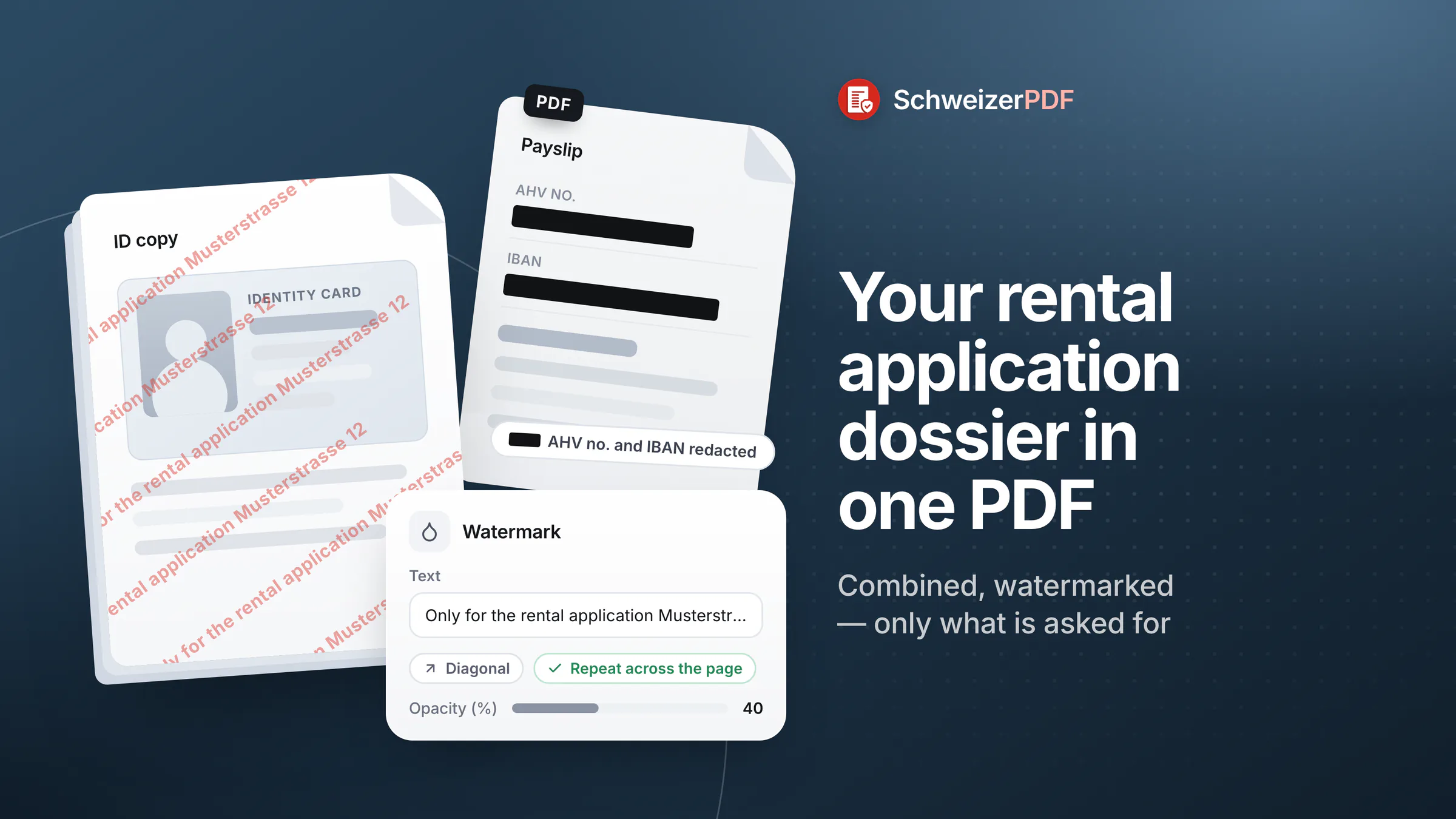
A rental application dossier in Switzerland is usually one PDF with the application form, a recent debt enforcement register extract (Betreibungsregisterauszug), proof of income and, depending on the landlord, a copy of your ID or residence permit. With SchweizerPDF you combine these in your browser, mark the dossier as intended for this one flat with Watermark, leave out what nobody asked for and send one compact file — without uploading your documents anywhere.
Looking for a flat often means sending the same dossier to several landlords and property managers you have never met. Every copy holds your identity, your income and your financial record. The fewer pages and details you hand out, and the clearer it is what they were for, the better.
What a rental application dossier usually contains
| Document | What it shows | Tip |
|---|---|---|
| Application form | Personal details, household, current landlord, employer | Fill it in with Fill form, or print, sign and scan it. |
| Debt enforcement register extract | Whether debt enforcement proceedings are recorded against you | Ordered from the debt enforcement office where you live; many landlords want a recent one. Send it unaltered. |
| Proof of income | Salary or other income | Only as much as is asked for — see redaction below. |
| Copy of ID or residence permit | Identity, residence status | Watermark it; often needed only from the applicant who is chosen. |
| Liability insurance | Personal liability cover | The confirmation page is usually enough, not the whole policy. |
What may a landlord ask for? The FDPIC's guidance
The Federal Data Protection and Information Commissioner (FDPIC) has published a fact sheet on application forms for rental flats (in German). Landlords may ask for data that helps them choose a tenant on objective criteria, such as information on income in the form or a copy of the debt enforcement register extract. Documents that only confirm the form — such as an ID copy or payslips — should in principle be requested only from the applicants selected in a second step. Once the lease is signed, the forms and enclosures of the other applicants are to be destroyed, unless there is a specific reason to keep them — such as a waiting list the applicant has agreed to.
This is guidance, not a lever: the landlord decides what they ask for, and you decide what you send. If a document seems more than the purpose needs, asking what it is for is a reasonable first step.
Create your rental dossier as one PDF, step by step
- 1
Collect and scan
Put the PDFs you have in one folder and photograph paper documents. Images to PDF turns the photos into A4 pages.
- 2
Merge in a clear order
Open Merge PDF: application form first, then the debt enforcement extract, proof of income, the insurance confirmation and, if asked for, the ID copy. Choose No bookmarks so your file names do not appear in the dossier.
- 3
Remove what is not needed
With Remove pages or Organise pages, take out pages nobody asked for: the general terms of an insurance policy, older payslips, an empty back page.
- 4
Watermark the dossier
Open Watermark, choose Text, for example “Only for the rental application Musterstrasse 12, Zürich – 16.10.2026”, then Diagonal, Repeat across the page and an opacity that keeps every value readable. Under Pages, leave out the debt enforcement extract so that it stays unaltered — or limit the watermark to the ID copy.
- 5
Redact what is not asked for
If a payslip goes in but only the income is needed, remove the AHV number and the IBAN with Black out (redact) — Search & redact has presets for both. Review every mark. Which plans include Black out (redact) is shown on the pricing page.
- 6
Compress and check
Run Compress PDF, then open the result and check that every page is readable and that the watermark hides nothing important.
- 7
Name it and send it
Save it as
rental-application-muster-anna.pdfand send it the way the landlord asks: by e-mail, through a platform or as a printout.
Marking the dossier for one flat
A watermark such as “Only for the rental application Musterstrasse 12 – 16.10.2026” states the purpose on every marked page: a copy that turns up with another landlord, or months later, visibly does not belong there. Make a new version for each flat. A watermark labels, it does not lock — what it can and cannot do, and how to prepare an ID copy for other recipients such as an employer, is covered in watermarking a copy of your ID.
If you redact a page after watermarking it, that page becomes an image and the watermark becomes part of the picture.
Redacting salary details — and what to leave alone
- Payslips often show the AHV number, the IBAN and individual deductions. If only the income is asked for, redact the rest — see redacting AHV numbers and IBANs. A black box drawn in an editor is not enough: the text stays in the file, as redaction vs. a black box shows.
- ID copy: if the landlord only needs to confirm your name and date of birth, ask whether the document number may be redacted. If they need the full copy, the watermark is the better tool.
- Debt enforcement extract: send it unaltered. It is an official document, and a redacted or edited extract may simply not be accepted.
- Digitally signed PDFs: if you received the extract as a signed PDF, merging, watermarking or compressing it invalidates the signature — SchweizerPDF warns you first. If the landlord wants to check the signature, send the signed original as a separate file too.
Sending the rental dossier safely
Many e-mail providers accept attachments of a few to a few dozen megabytes; a dossier with photographed pages may need Compress PDF to fit — see a PDF too large for e-mail. If you would rather not send your income by plain e-mail, Protect PDF adds a password to open the file; give the password by phone or text message, never in the same e-mail (how it works for payslips). Not every recipient handles protected files, so ask first.
Throughout, the documents stay on your device: SchweizerPDF processes them in your browser, and per run our server receives only which tool ran and whether it finished. You need an account and a connection, and local processing does not protect against a compromised device or a browser extension that can read your pages. More on the security page.
Frequently asked questions
Do I have to include a copy of my ID in the first application?
The FDPIC's fact sheet treats an ID copy as something generally requested from the selected applicant. In practice, the landlord decides what they ask for.
May I redact my debt enforcement register extract?
Better not. It is an official document, and an altered one may not be accepted. Leave it whole, and order a new one if yours is no longer recent.
Should the watermark cover the whole dossier?
Not necessarily. Leave the debt enforcement extract unmarked so it stays as issued; the ID copy and the payslips are where a stated purpose helps most. Under Pages in Watermark you choose which pages are marked.
Are my documents uploaded to SchweizerPDF?
No. They are processed in your browser and never sent to or stored by us — see where your files are processed.
For merging and removing pages, read Merge and split PDFs; every tool is on the tools page; why your documents should stay with you is explained in why your PDF tool shouldn't see your documents. Ready? Create a free account and prepare your dossier on your own device.
General information
This guide describes how the SchweizerPDF tools can be used for a rental application and summarises the FDPIC's guidance in simplified form. It is not legal advice: what a landlord may ask for depends on the individual case — for questions, contact a tenants' association or a lawyer. Check the finished dossier before you send it.