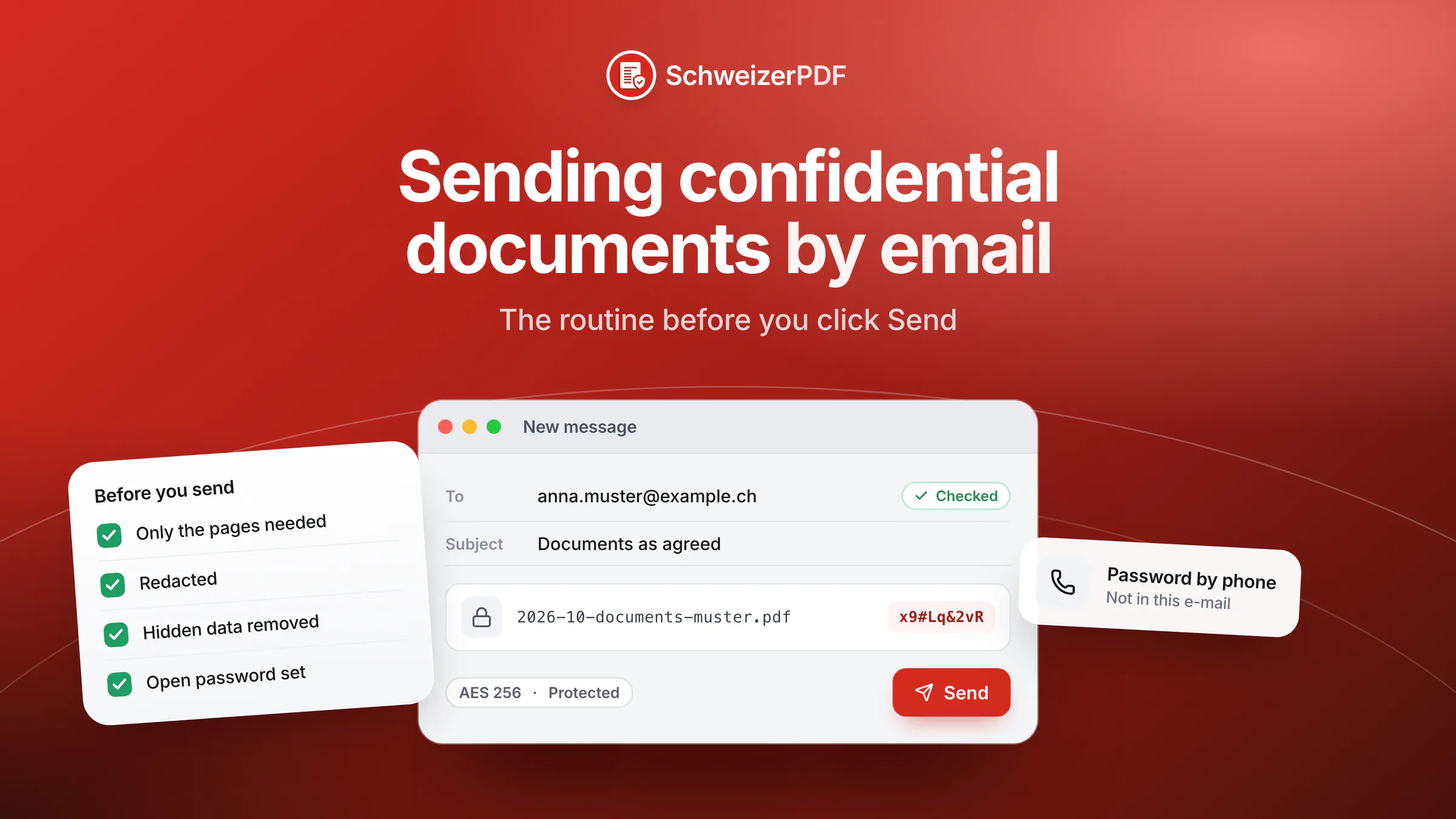
To send confidential documents by email, protect the document itself, not only the connection. Send only the pages the recipient needs, redact what they must not see, remove hidden data, protect the PDF with an open password and give the password through another channel — then check the address before you click Send.
The reason is simple: the encryption most e-mail services apply in transit protects the message while it travels. It does not protect it in the mailboxes where it is stored, and it delivers it to whatever address you typed. This article explains that gap and gives a routine for Swiss SMEs that send payslips, contracts, client files or medical reports by e-mail.
What does email encryption in transit protect?
Most e-mail providers today encrypt the connection between your mail program and their server, and many also encrypt the connections between mail servers. The technique is called TLS — the same family of protocols that secures websites. It keeps someone listening on the network from reading the message on those connections. That is useful, but it covers less than many people assume:
- It works hop by hop. Each mail server on the way receives the message in readable form, stores it at least briefly and passes it on.
- It is not always used. When a receiving server does not support it, many systems deliver the message unencrypted — and the sender is not told.
- It ends on arrival. The message then sits in the sent folder, the recipient's inbox, on phones and laptops, in backups and archives, often for years. Whoever gets into one of those mailboxes, through delegated access or a stolen password, can open the attachments.
- It does not check the address. A typo, an auto-completed name or a reply-all delivers the message, well encrypted in transit, to the wrong person.
- It says nothing about what happens next. A forwarded e-mail takes your attachment wherever the recipient sends it.
A password-protected PDF closes most of that gap: the file stays encrypted in every mailbox, backup and download folder, and a misdirected copy is unreadable without the password. The Swiss Federal Act on Data Protection (FADP/nDSG) asks for data security appropriate to the risk, through technical and organisational measures (Art. 8 FADP); it does not prescribe a particular channel. Protecting the attachment is one technical measure; the routine below adds the organisational ones. The other FADP principles for everyday documents are set out in the FADP checklist for PDFs.
Before you send: a seven-step routine
Run the steps in this order. Each one removes a risk the others cannot: a password does not shorten a document, and redaction does not stop a misdirected e-mail.
- 1
Send only what is needed
If the recipient needs the signed page and one annex, not the whole forty-page file, build a new PDF with Extract pages or delete the rest with Remove pages.
- 2
Redact what the recipient must not see
An AHV number, an IBAN, a third person's name: remove them with Black out (redact), which turns the marked pages into images with the areas blacked out. The search finds likely matches, not certain ones, so review every page. Why a black box drawn in an editor is not enough is explained in redaction mistakes in PDFs.
- 3
Remove hidden data
Document properties, comments and attached files travel along unseen. Remove hidden data clears them; what a file can carry is described in hidden data in PDFs.
- 4
Protect the PDF with an open password
In Protect PDF, set a Password to open the PDF, keep AES 256-bit (recommended) and leave Also encrypt the document properties (title, author and so on) switched on. Use a long passphrase. How the encryption works is explained in password-protecting a PDF.
- 5
Give the file a neutral name
The file name stays readable even when the content is encrypted — in the e-mail and in the recipient's downloads. Use a date and a neutral reference, such as
2026-10-documents-muster.pdf; never an AHV number, a salary or a diagnosis. - 6
Check the address
Type it or take it from a verified source instead of trusting auto-complete, read the full address rather than the display name, and avoid reply-all. If an e-mail announces a new address for documents, confirm it by phone at a number you already know.
- 7
Send the password through another channel
Tell it by phone, send it by text message or agree on it in advance. Not in the same e-mail and not in a second one: it would land in the same mailbox and share every risk of the first.
All of these tools run in your browser, and the result of one can go straight to the next — see chaining tools; each step counts as its own operation. The unprotected original never has to leave your device to be prepared: per run, our server receives only the tool id and the outcome, as the security page explains. Why the order matters is set out in protect, redact or remove — compared.
The email itself: subject, text and size
The PDF password protects the attachment, not the e-mail around it. The rest of the message needs the same care:
- A neutral subject. “Documents as agreed” rather than “Payslip Anna Muster, October”. Subjects appear in notifications, on lock screens and in search results.
- Nothing confidential in the text. Do not repeat in the e-mail what the attachment protects — no amounts, no diagnoses, no account numbers.
- One person, one e-mail. Personal documents go in a separate message to each recipient, never to a distribution list or with others in copy.
- A sensible size. Compress before you protect. If the file is still too large, split it or send only the pages needed — see PDF too large for email. Many e-mail providers limit attachments to somewhere between a few and a few dozen megabytes.
- A confirmation. Ask the recipient to confirm that the file arrived and opens.
Example: documents for a former employee
Anna Muster has left Muster AG and asks for her reference letter and her last payslip at her private address. The HR assistant takes the two documents out of the personnel file PDF with Extract pages and runs Remove hidden data, because the reference draft still carries a comment from the line manager. The payslip shows Anna Muster's AHV number, 756.1234.5678.97 (official sample value). It is her own data, so it stays; redaction would matter if the same payslip went to a third party.
Protect PDF encrypts the file with a passphrase that HR gave Anna Muster in person at her exit meeting. The file is saved as 2026-10-muster-anna-documents.pdf, the address is copied from the signed exit form rather than auto-completed, the subject reads “Your documents from Muster AG”, and the text says only that the password is the one agreed at the meeting. For payroll that repeats every month, the routine in password-protecting payslips saves time.
When email is the wrong channel
A protected attachment is a sound default for one-off documents. It is not the best answer everywhere:
- Recurring exchange with the same people. If you send a client documents every month, a client portal or an encrypted e-mail system, set up once, is easier and protects the message text too.
- Very large files or many of them. A file-sharing link with a password and an expiry date may suit better — weigh where the file is then stored.
- Particularly sensitive data. Health data or documents under professional secrecy may come with rules from your profession, your contracts or your clients that call for a specific channel. Check them first — see professional secrecy and online tools.
- Originals and deadlines. A signed contract, a notice or a document where proof of delivery counts goes by registered post.
- An address you cannot verify. If you are not sure who is behind it, do not send — call first.
How these channels compare — who can read in transit and at rest, what the recipient must set up, what can be revoked — is set out in how to send confidential documents securely.
Frequently asked questions
Can I send the password in a second email?
Better not. A second e-mail goes to the same mailbox, so a wrong address, a compromised account or a forwarded thread exposes both. A phone call, a text message or a password agreed in advance keeps the two apart.
Is a password-protected ZIP file an alternative?
It can be, but the protection depends on the program: some archive formats use weak, outdated encryption, and recipients may need extra software to open the stronger ones. A PDF with an AES-256 open password opens in common PDF readers and stays a PDF.
What if I sent a document to the wrong address?
Ask the recipient to delete it, record what happened and assess the risk with whoever is responsible for data protection in your organisation. If a breach of data security is likely to lead to a high risk for the people concerned, the FADP requires the controller to notify the FDPIC (Art. 24 FADP). A file protected with a password the wrong recipient does not have makes that risk much smaller.
Prepare your next attachment with the security tools; the options are explained in Password-protect a PDF and Redact safely. Fiduciaries, who send client files every day, will find more on SchweizerPDF for fiduciaries. Create an account and run the routine in your browser.
General information
This article describes e-mail security and the FADP in general and simplified terms; it is not legal or IT security advice. Whether a measure is sufficient for your documents is your decision — for specific requirements, ask your data protection adviser or a qualified legal or IT security professional.